Korean Keyboard, Find the Keys and Build Your First Words
Korean Keyboard, Find the Keys and Build Your First Words

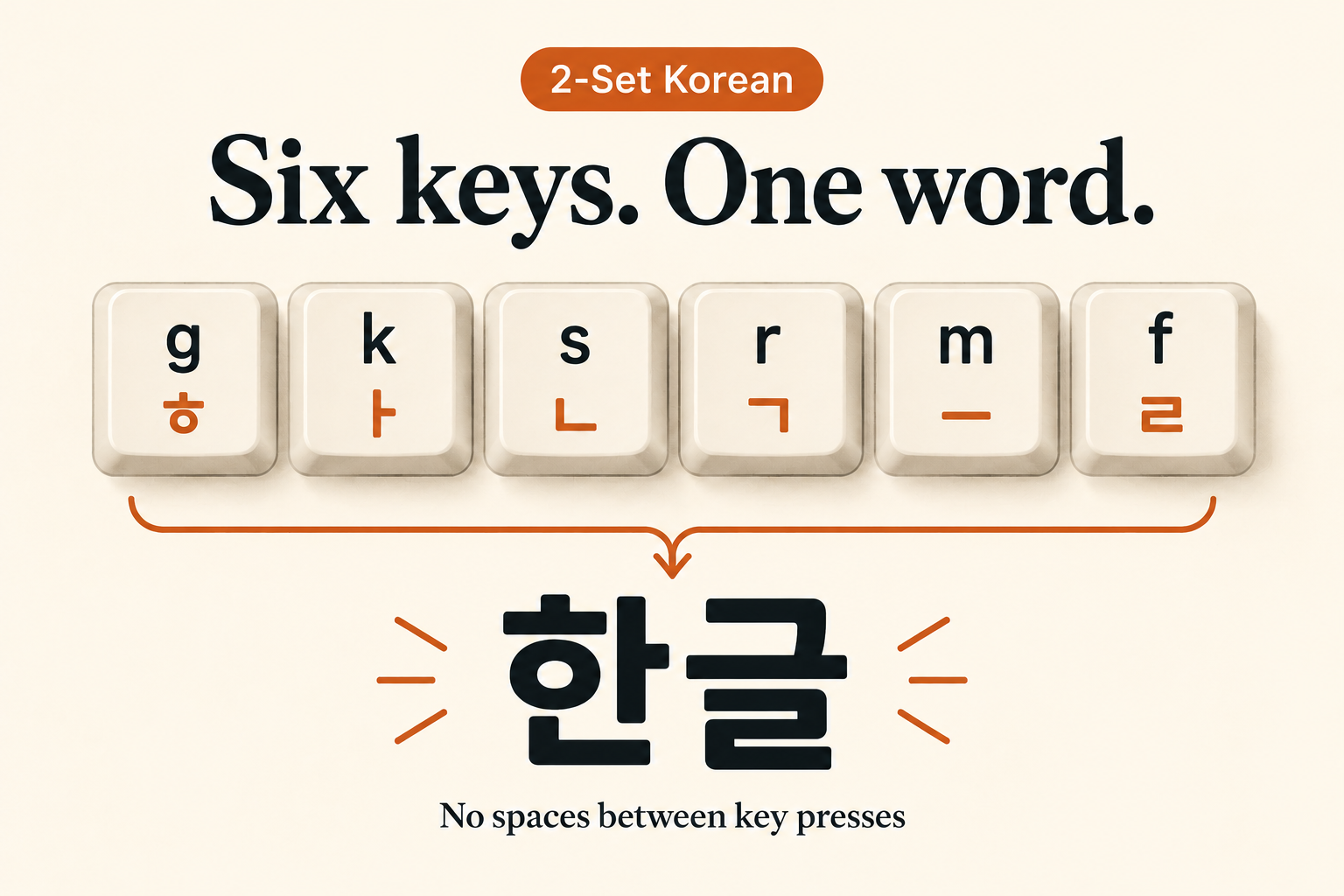
Type gksrmf with standard two-set Korean input active and the result is 한글. The letters printed on an English keyboard identify the keys to press; they do not spell the word’s pronunciation.
A Korean keyboard layout assigns Hangul letters to the letter keys. The input method editor, or IME, combines those letters into syllable blocks as you type.
Start with the two-set layout
The chart below follows the South Korean two-set layout, called 두벌식. Consonants occupy the left-hand group and vowels the right-hand group. Notice B → ㅠ near the middle of the bottom row; Korean touch typing commonly assigns that vowel to the right hand.
Use the Latin labels as a US-QWERTY reference. If your physical labels or selected input source differ, check the on-screen layout rather than assuming that a printed letter has the same assignment.
| Row | Consonant keys | Vowel keys |
|---|---|---|
| Top letter row | Q ㅂ · W ㅈ · E ㄷ · R ㄱ · T ㅅ | Y ㅛ · U ㅕ · I ㅑ · O ㅐ · P ㅔ |
| Middle row | A ㅁ · S ㄴ · D ㅇ · F ㄹ · G ㅎ | H ㅗ · J ㅓ · K ㅏ · L ㅣ |
| Bottom row | Z ㅋ · X ㅌ · C ㅊ · V ㅍ | B ㅠ · N ㅜ · M ㅡ |
For example, the six presses for 한글 are g k s r m f: ㅎ + ㅏ + ㄴ, followed by ㄱ + ㅡ + ㄹ. Enter them continuously. The spaces in this key list separate instructions; they are not spaces to type.
Make sure the letters are going through Korean input
You can use an ordinary keyboard without Hangul printed on its keys. What matters is the selected input source and its current mode.
Windows 11: check both the source and the mode
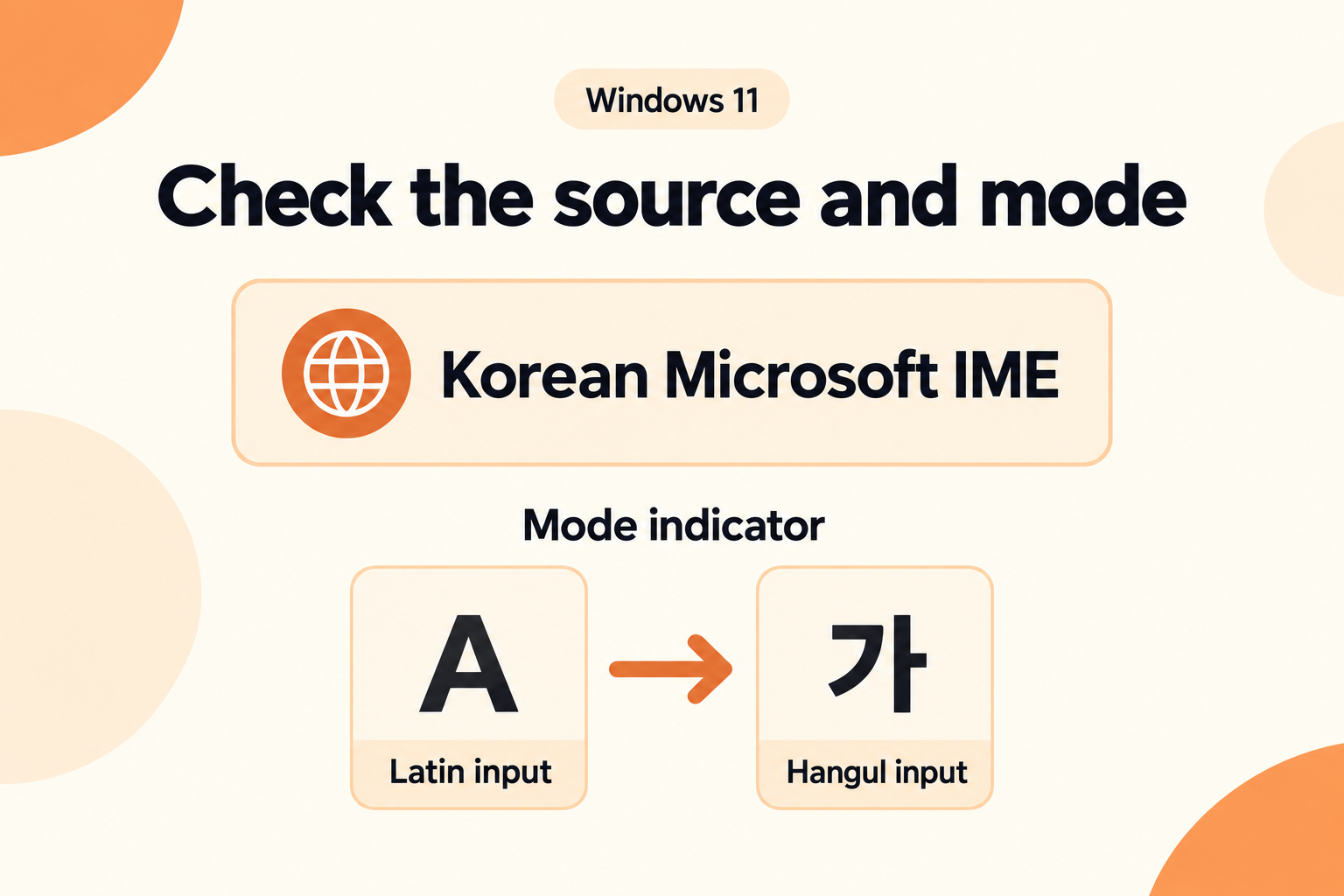
Microsoft’s documented setup path is Settings → Time & language → Language & region → Add a language → Korean. After installation, select Korean Microsoft IME from the input selector. If its mode icon shows A, select that icon to change it to 가. Selecting that source alone can still leave English input active.
The Windows On-Screen Keyboard can show the assignments: press Windows + Ctrl + O. You do not need to change the Windows display language to type Korean.
Mac: choose 2-Set Korean
In Keyboard settings, open Text Input → Edit, click the add button, and choose Korean → 2-Set Korean. Select it from the Input menu. Choose Show Keyboard Viewer from that menu to inspect the active keys. Apple also offers other input sources, so check the full name rather than only the language.
This guide covers the two-set letter arrangement. A phone’s compact keypad or a three-set layout needs its own key map.
Why a finished-looking syllable can change
Hangul letters form blocks with an initial consonant, a vowel and sometimes a final consonant. On a Hangul keyboard using two-set input, a consonant key can supply either the beginning or the end of a block. The next letter helps the IME decide where it belongs.
Practice in an empty text field: enter the following keys without moving the cursor.
| Press | Letters entered so far | Composed text |
|---|---|---|
r | ㄱ | ㄱ |
k | ㄱ + ㅏ | 가 |
s | ㄱ + ㅏ + ㄴ | 간 |
k | ㄱ + ㅏ + ㄴ + ㅏ | 가나 |
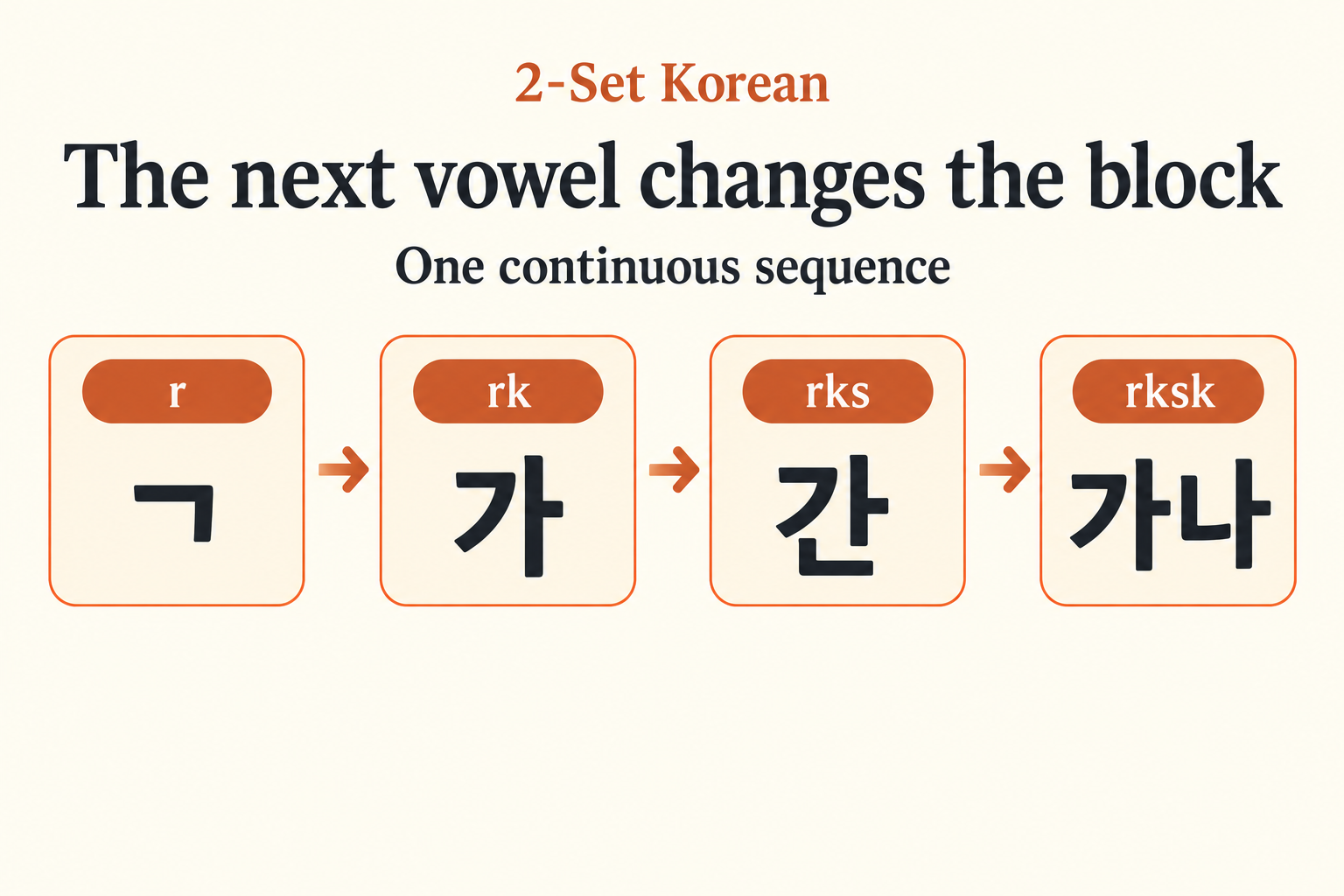
At the third press, ㄴ can occupy the bottom of the first block. When the following vowel arrives, that consonant becomes the beginning of 나. The temporary 간 is expected composition, not a reason to delete the text.
Keeping a final consonant before a vowel-initial syllable
For typing practice, compare these two letter sequences: 가나 and 간아. They are typing exercises, not a phrase or dialogue.
- 가나:
r k s k→ ㄱ + ㅏ + ㄴ + ㅏ. - 간아:
r k s d k→ ㄱ + ㅏ + ㄴ + ㅇ + ㅏ.
The extra d enters ㅇ. In 아, that letter fills the initial position without adding a consonant sound. It gives the second block its own beginning, leaving ㄴ in the first block. A vowel-initial syllable still needs its written ㅇ, so type that letter explicitly.
This is about building written syllables. Pronunciation changes between spoken syllables are a separate topic.
Use Shift for these seven letters
Hold Shift while pressing the indicated key, then release it before the next unshifted letter.
| Key | Without Shift | With Shift |
|---|---|---|
| Q | ㅂ | ㅃ |
| W | ㅈ | ㅉ |
| E | ㄷ | ㄸ |
| R | ㄱ | ㄲ |
| T | ㅅ | ㅆ |
| O | ㅐ | ㅒ |
| P | ㅔ | ㅖ |
Other combined vowels use consecutive vowel keys. For 와, enter d h k: ㅇ + ㅗ + ㅏ. The last two letters combine as ㅘ. You do not need Shift for that vowel.
Read the result before changing settings
Use an empty field for this check. Type the four unshifted keys rksk continuously, then compare the result below. The table helps you check the input source, mode and syllable composition.
| What appears | What to check next |
|---|---|
rksk | The letters are still Latin. Check the active input source and its Latin/Hangul mode. On Windows, inspect A versus 가. |
| ㄱㅏㄴㅏ as separate letters | The expected letter mapping is present, but syllable composition is not producing the expected result in that field. Retype in a plain-text app with the same source. A different result narrows the problem to the app or field; changing the key chart would not explain it. |
| 간, then 가나 when the final vowel is entered | This matches the composition sequence above. Keep typing; no separator belongs between these two syllables. |
| Different Korean letters | Check that the selected source is two-set and compare its on-screen keys with the chart. Also check whether Shift is held. A different layout and an incorrect key press can both change the letters. |
Try one new word without the key sequence
Type 바다, meaning sea, using the chart. Before entering its last vowel, predict the temporary block you will see.
Show the keys and the intermediate result
The sequence is q k e k: ㅂ + ㅏ + ㄷ + ㅏ. After the third press, the text is 받. The fourth press moves ㄷ to the next syllable, producing 바다. If your result differs, compare the individual letters first, then check how they combine.